
Latest Updates

HTTP vs SOCKS5 Residential Proxies: Which Protocol Fits Your Scraper?
A protocol-level decision guide for choosing HTTP or SOCKS5 residential proxies across web scraping, Playwright automation, SERP monitoring, custom TCP clients, and DNS-sensitive workloads.

Best Residential Proxy Providers for Small Teams 2026: Sub-50GB Buying Guide
An engineering and purchasing guide for 3-10 person technical teams using under 50 GB/month. Compare pricing transparency, zero minimum commitments, free trial evaluation, and API usability.

Residential Proxies for Web Scraping | Rotating Residential IPs
A practical residential proxies landing page explaining when residential routing changes scraping outcomes, how rotating and sticky modes differ, and how to validate proxy quality before scaling.

Install Ollama on Ubuntu: Step 1 for Local OpenClaw
A practical guide to installing Ollama on Ubuntu, covering local service setup, model download, validation, and preparation for OpenClaw integration.

Web Scraping for AI Agents: Feeding Real-Time Data to LLMs Using Residential Proxies
An engineering roadmap for integrating real-time web scraping capabilities into autonomous AI agents and LLM applications. Learn how to route requests through residential proxies, convert noisy HTML into clean Markdown/JSON Schema, and optimize token window costs.

Web Scraping Architecture Design
A practical guide to web scraping architecture design in 2026, covering queues, workers, proxy layers, browser usage, validation, storage, and observability.
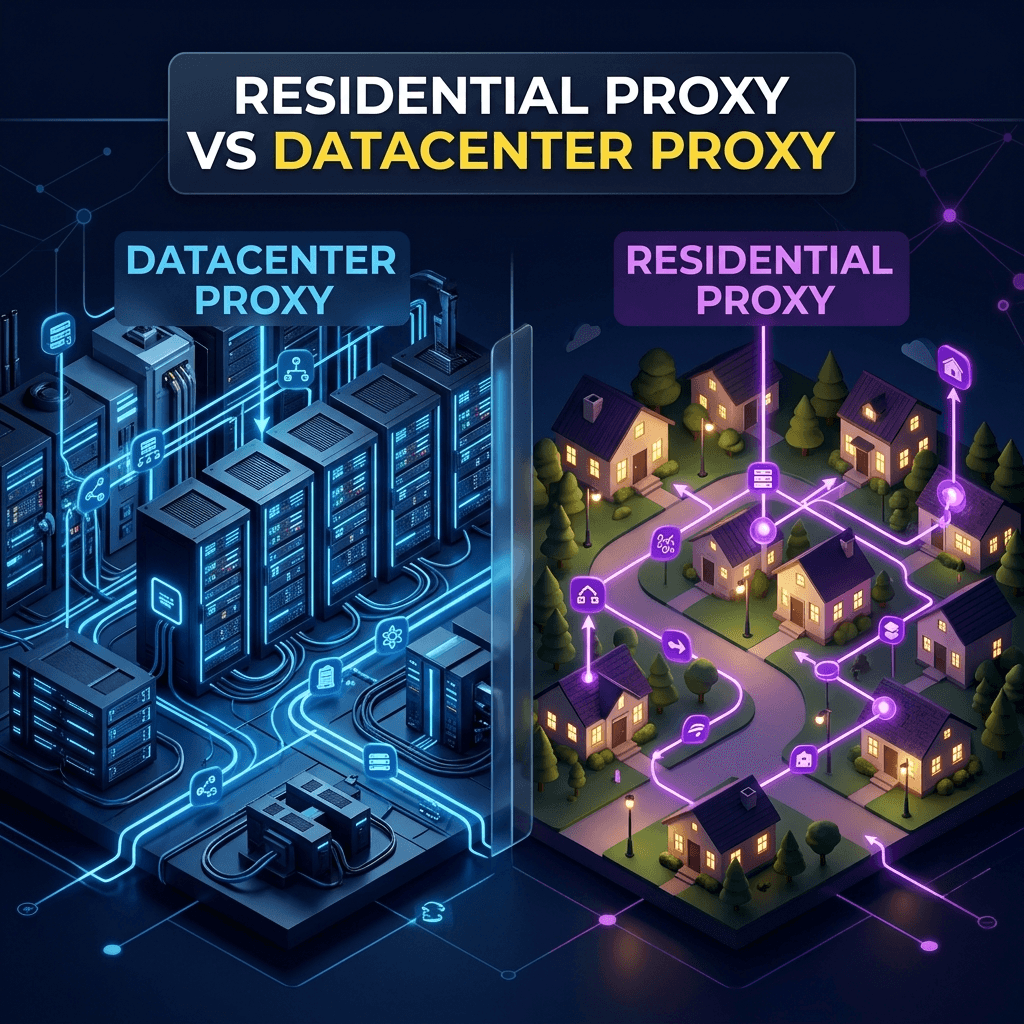
Residential Proxy vs Datacenter Proxy: An Infrastructure Decision Memo
A practical decision memo comparing residential proxies and datacenter proxies for web scraping, SERP monitoring, price intelligence, browser automation, cost modeling, geo accuracy, and useful-output reliability.
Proxy Pools for Web Scraping (2026)
A practical guide to proxy pools for web scraping, covering gateway vs list models, pool sizing, concurrency, workload segmentation, and how proxy pools affect reliability.

Playwright Proxy Setup Guide (2026)
A practical Playwright proxy setup guide covering launch configuration, rotation vs sticky sessions, browser identity, verification, and anti-block behavior.

Playwright Proxy Errors: 407, Tunnels, Timeouts, and Wrong-Geo Results
A field guide to debugging Playwright proxy errors: 407 authentication failures, tunnel errors, timeouts, wrong-country output, sticky sessions, and when to blame the target instead of the proxy.

How to Evaluate a Residential Proxy Free Trial Before You Buy
A buyer-focused guide for evaluating a residential proxy free trial with real workloads, success metrics, session checks, geo validation, pricing review, and production-readiness criteria.
How Many Proxies Do You Need (2026)
A practical guide to estimating how many proxies you need for web scraping, based on request volume, target difficulty, concurrency, rotation mode, and acceptable block rates.
Explore solutions by business scenario
If you're researching SEO, e-commerce intelligence, ad verification, AI data collection, or social media operations, start with the scenario that matches your work.
SEO Monitoring
Production SEO monitoring with localized SERP collection over residential routing—stable for recurring rank checks, dashboards, and alerts.
Rank Tracking
Use rank tracker proxies to monitor keyword positions across countries, cities, and devices with residential routing built for daily SERP checks.
E-commerce Intelligence
Monitor prices, stock, and marketplace visibility with real-user residential traffic.
Ad Verification
Verify placements, validate geo-targeting, and surface ad fraud with real viewpoints.
AI & Data Collection
Collect large-scale public web data for RAG, fine-tuning, and agent workflows.
Social Media Operations
Run safer multi-account operations with sticky sessions and low-linkage residential IPs.
Web Scraping Proxies
Collect public web data with rotating residential proxies, geo targeting, and crawler-friendly routing.
Browser Automation Proxies
Run Playwright, headless browser, and agent workflows with sticky residential sessions and SOCKS5 support.
Market Research Proxies
BytesFlows market research proxies help research, strategy, and growth teams collect public web signals from real residential viewpoints. Teams use them to compare competitors, monitor regional demand, validate local offers, and collect market intelligence without mixing results from the wrong geography. Rotating residential routes fit broad discovery, while sticky sessions help when a workflow carries browser state.
SERP Scraping Proxies
BytesFlows SERP scraping proxies are built for teams collecting localized search results at scale. Residential routing helps reduce bot friction, while country and city targeting make search snapshots more representative of real users. Use this page when the goal is raw SERP collection, and use rank tracking pages when the goal is ongoing keyword position monitoring.
Price Monitoring Proxies
BytesFlows price monitoring proxies help e-commerce, revenue, and marketplace teams track prices, availability, and catalog changes from real regional viewpoints. Residential routing is useful when storefronts personalize prices, block datacenter traffic, or return different inventory by country. Teams can start with small validation runs, compare target behavior, and scale recurring monitoring when the output is stable.
Playwright Proxy
BytesFlows Playwright proxy workflows give browser automation teams residential routes, SOCKS5 support, and sticky sessions for stateful browser tasks. Use rotating routes for stateless page collection, and sticky sessions for flows that carry cookies, carts, forms, or agent memory. This page is focused on Playwright-specific search intent and links into the broader browser automation proxy solution.
Residential Proxy API
BytesFlows residential proxy API pages help engineering teams understand how proxy-backed workflows move from dashboard testing into repeatable, account-scoped usage. The API path is useful when teams need to generate routes, connect tools, run SERP or proxy tests through selected accounts, and keep usage tied to the correct traffic plan.
AI Agent Proxies
BytesFlows residential proxies support AI browser agents, LLM grounding data pipelines, and RAG crawlers that need predictable IP rotation, session control, and regional routing. AI agents differ from traditional scrapers in session length, async concurrency patterns, and the variety of target sites they encounter. Residential IPs help agents collect diverse training and grounding data from sites that treat datacenter traffic as lower-trust automation.
Marketplace Monitoring Proxies
BytesFlows residential proxies help e-commerce intelligence teams monitor competitor pricing, buy box ownership, inventory levels, and seller rankings on Amazon, Walmart, eBay, and regional marketplaces. Marketplace platforms use location-based pricing and anti-scraping measures that block datacenter IPs, making residential routing essential for accurate, unblocked monitoring at scale.
Ready to collect web data more reliably?
See how teams use BytesFlows for stable access, broad geo coverage, and a faster path to launch.